CSPACES
Connect, Create, Collaborate
Mobile App Design



CSPACES
Connect, Create, Collaborate
Mobile App Design
CSPACES
Connect, Create, Collaborate
Mobile App Design
PROJECT BRIEF
PROJECT BRIEF
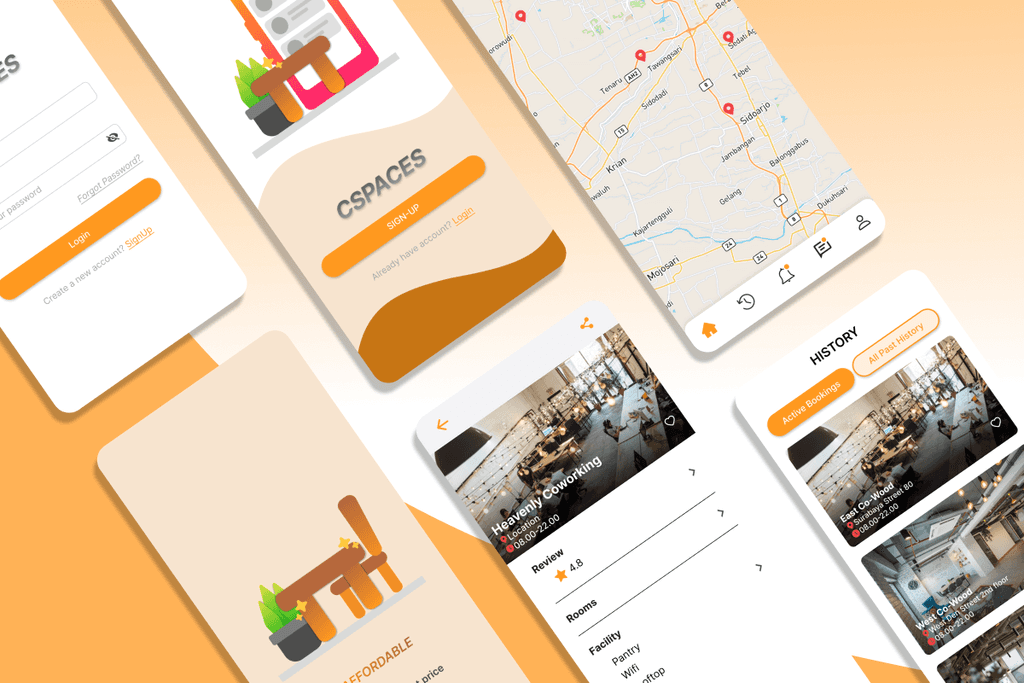
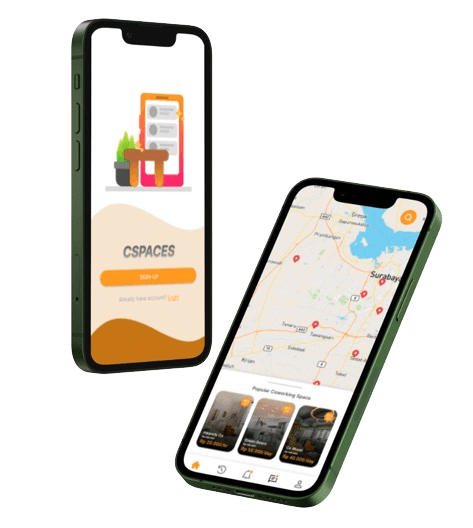
CSPACES is a mobile application for coworking space booking, which integrates all coworking spaces in Indonesia. The interface design of the CPACES application is designed with a focus on users to produce a product with a high level of usability and easy adaptability for users.
CSPACES is a mobile application for coworking space booking, which integrates all coworking spaces in Indonesia. The interface design of the CPACES application is designed with a focus on users to produce a product with a high level of usability and easy adaptability for users.
CSPACES is a mobile application for coworking space booking, which integrates all coworking spaces in Indonesia. The interface design of the CPACES application is designed with a focus on users to produce a product with a high level of usability and easy adaptability for users.
My Role:
Conduct user research to find pain-points and ideas
Create persona and structural design solutions
Design the solution in wireframe, mockup, prototype
Conduct user testing app using Maze.co
My Role:
Conduct user research to find pain-points and ideas
Create persona and structural design solutions
Design the solution in wireframe, mockup, prototype
Conduct user testing app using Maze.co
My Role:
Conduct user research to find pain-points and ideas
Create persona and structural design solutions
Design the solution in wireframe, mockup, prototype
Conduct user testing app using Maze.co
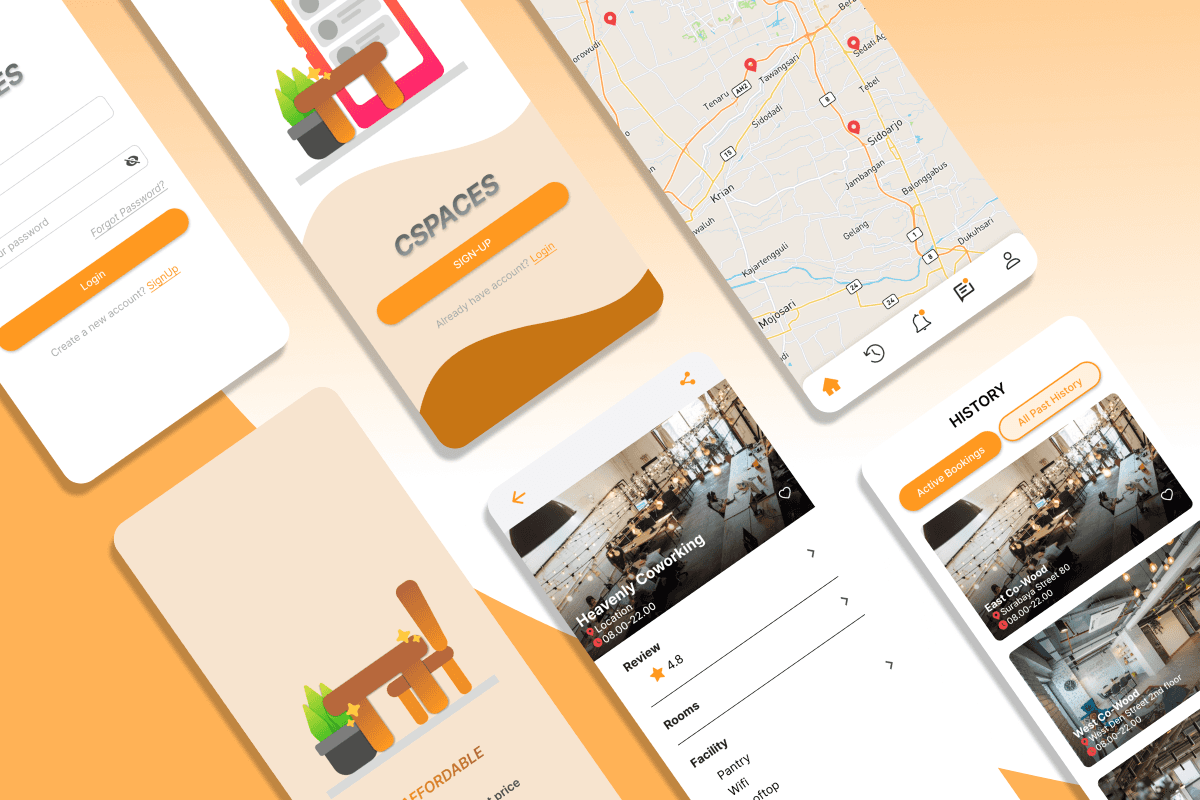
PROPOSED DESIGN
PROPOSED DESIGN
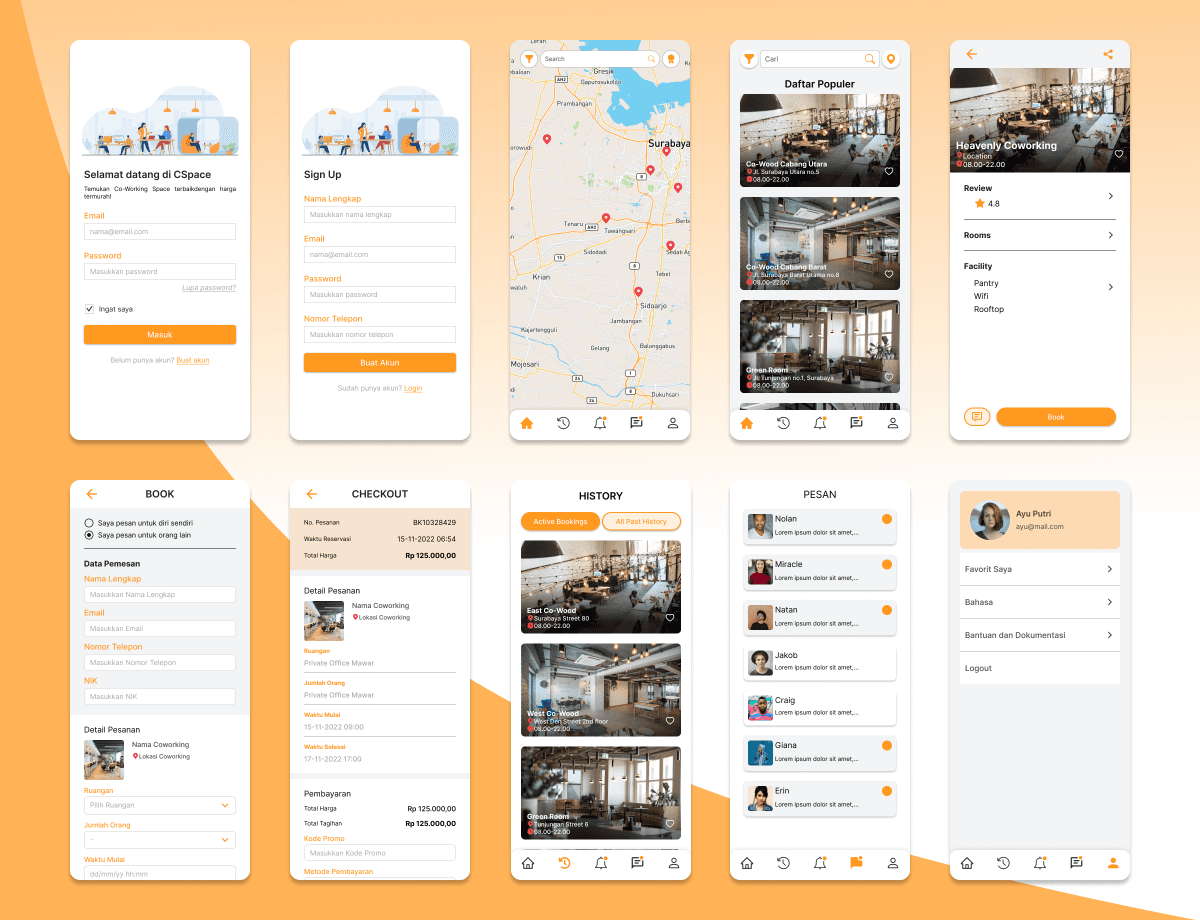
This is the design that I first proposed to users. This design will be tested for usability and then redesigned until it meets user needs.
This is the design that I first proposed to users. This design will be tested for usability and then redesigned until it meets user needs.
This is the design that I first proposed to users. This design will be tested for usability and then redesigned until it meets user needs.
USABILITY TESTING 1
USABILITY TESTING 1
USABILITY TESTING 1
Heatmap is utilized to identify commonly clicked points by users, allowing for easy detection of clicking errors and simplifying the application redesign process.
Heatmap is utilized to identify commonly clicked points by users, allowing for easy detection of clicking errors and simplifying the application redesign process.
Heatmap is utilized to identify commonly clicked points by users, allowing for easy detection of clicking errors and simplifying the application redesign process.
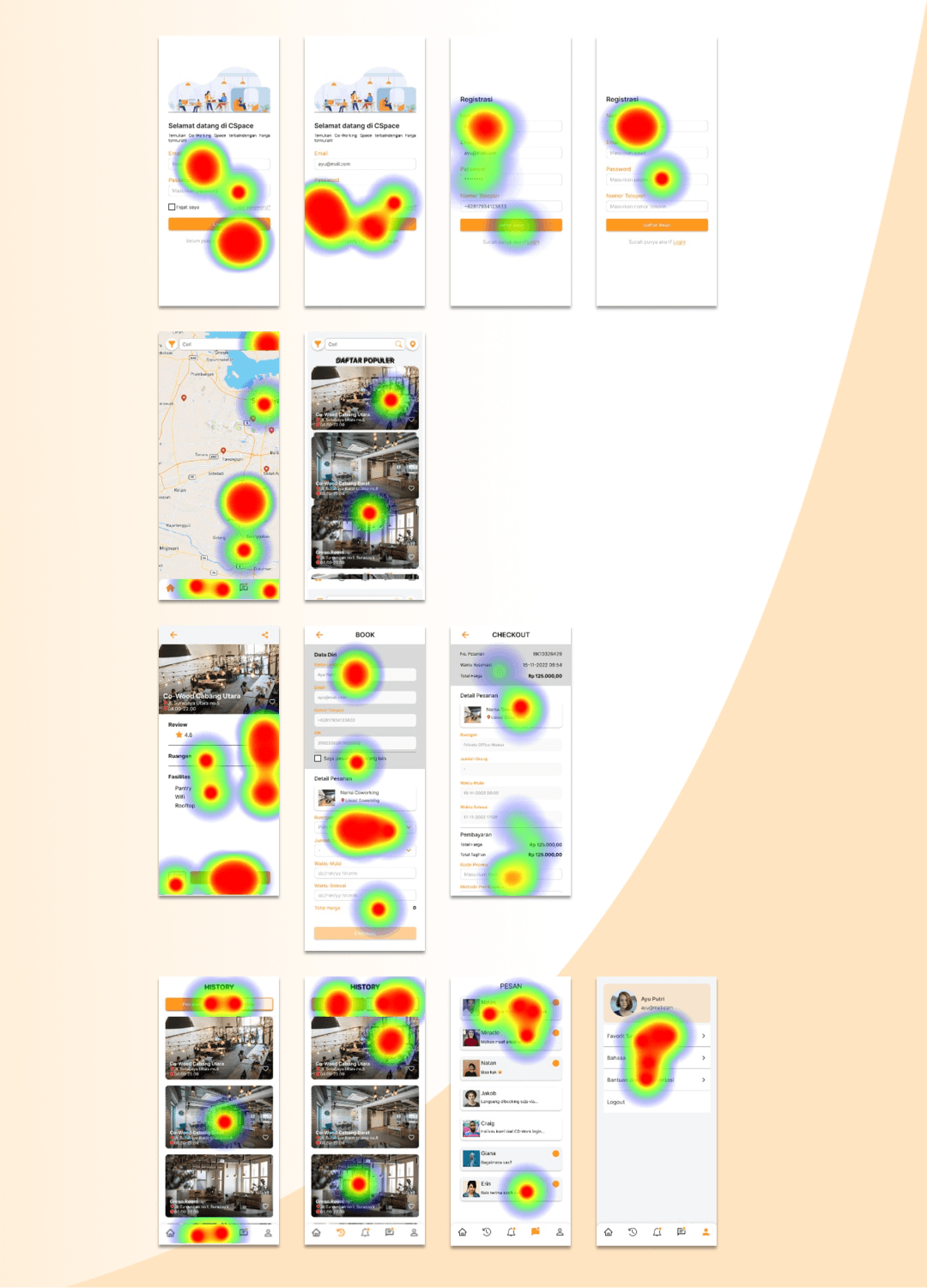
Due to time constraints, usability testing was conducted with five users of coworking space who were involved in the initial interview. The result of the 1st heatmap testing is provided below
Due to time constraints, usability testing was conducted with five users of coworking space who were involved in the initial interview. The result of the 1st heatmap testing is provided below
Due to time constraints, usability testing was conducted with five users of coworking space who were involved in the initial interview. The result of the 1st heatmap testing is provided below
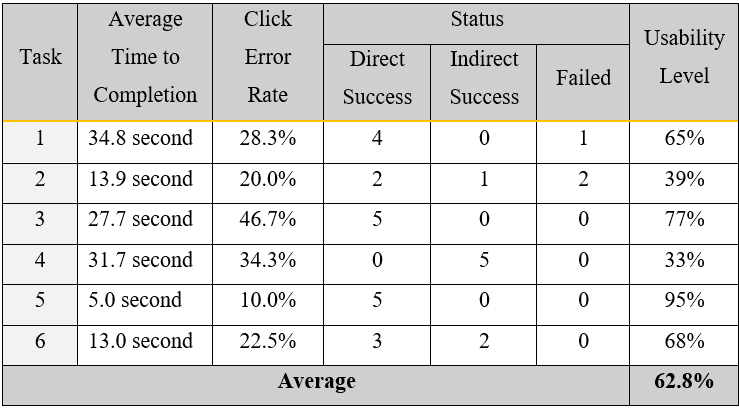
Task list:
Log in with email and password.
Find the 'Popular List' and click one of the lists to view details about the coworking space.
Make a booking and payment for one of the coworking spaces from the list you have successfully searched for.
Check booking history and new notifications.
Visit the chat room and check for new messages.
Review the coworking spaces in the user's favorite lists.
Task list:
Log in with email and password.
Find the 'Popular List' and click one of the lists to view details about the coworking space.
Make a booking and payment for one of the coworking spaces from the list you have successfully searched for.
Check booking history and new notifications.
Visit the chat room and check for new messages.
Review the coworking spaces in the user's favorite lists.
Task list:
Log in with email and password.
Find the 'Popular List' and click one of the lists to view details about the coworking space.
Make a booking and payment for one of the coworking spaces from the list you have successfully searched for.
Check booking history and new notifications.
Visit the chat room and check for new messages.
Review the coworking spaces in the user's favorite lists.
The final application interface design is created by considering functional needs and interface design principles, aiming to produce a design that excels both in aesthetics and usability.
The final application interface design is created by considering functional needs and interface design principles, aiming to produce a design that excels both in aesthetics and usability.
The final application interface design is created by considering functional needs and interface design principles, aiming to produce a design that excels both in aesthetics and usability.
FINAL APP INTERFACE
FINAL APP INTERFACE
FINAL APP INTERFACE
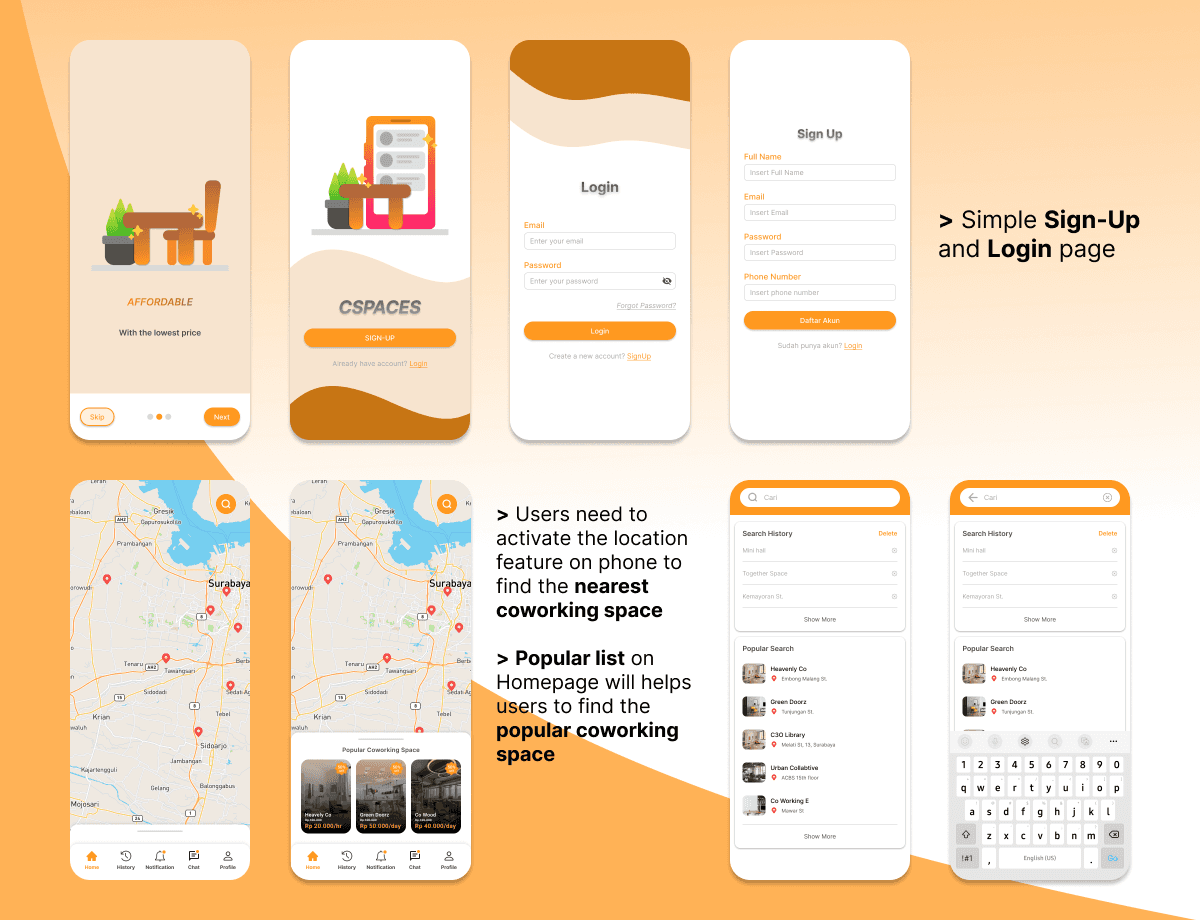
UI - On boarding, Sign In, Home, and Search page
UI - On boarding, Sign In, Home, and Search page
UI - On boarding, Sign In, Home, and Search page
FINAL APP INTERFACE
FINAL APP INTERFACE
FINAL APP INTERFACE
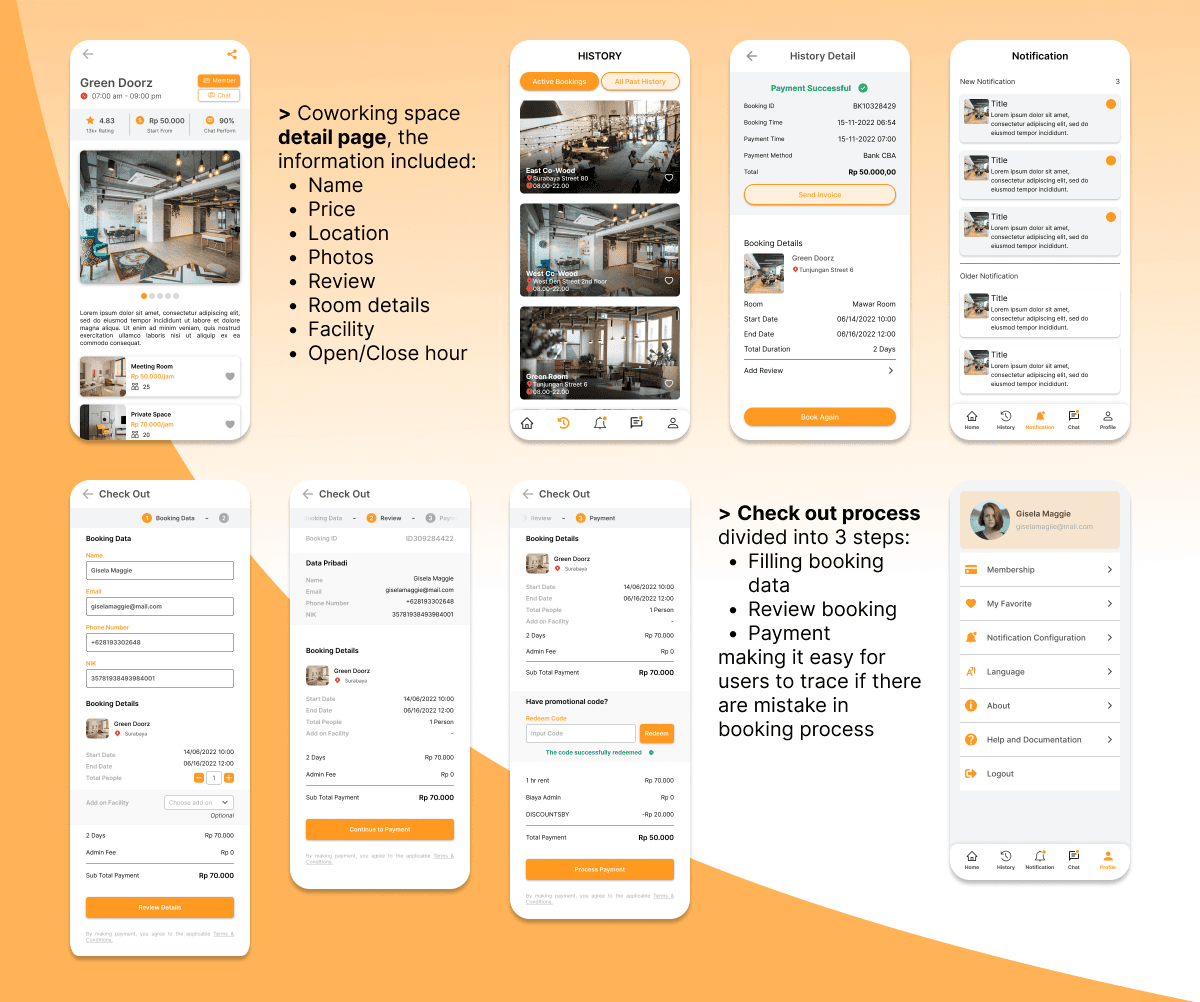
UI - Details, Booking, History, and others
UI - Details, Booking, History, and others
UI - Details, Booking, History, and others
USABILITY TESTING 2
USABILITY TESTING 2
USABILITY TESTING 2
Heatmap is utilized to identify commonly clicked points by users, allowing for easy detection of clicking errors and simplifying the application redesign process.
Heatmap is utilized to identify commonly clicked points by users, allowing for easy detection of clicking errors and simplifying the application redesign process.
Heatmap is utilized to identify commonly clicked points by users, allowing for easy detection of clicking errors and simplifying the application redesign process.
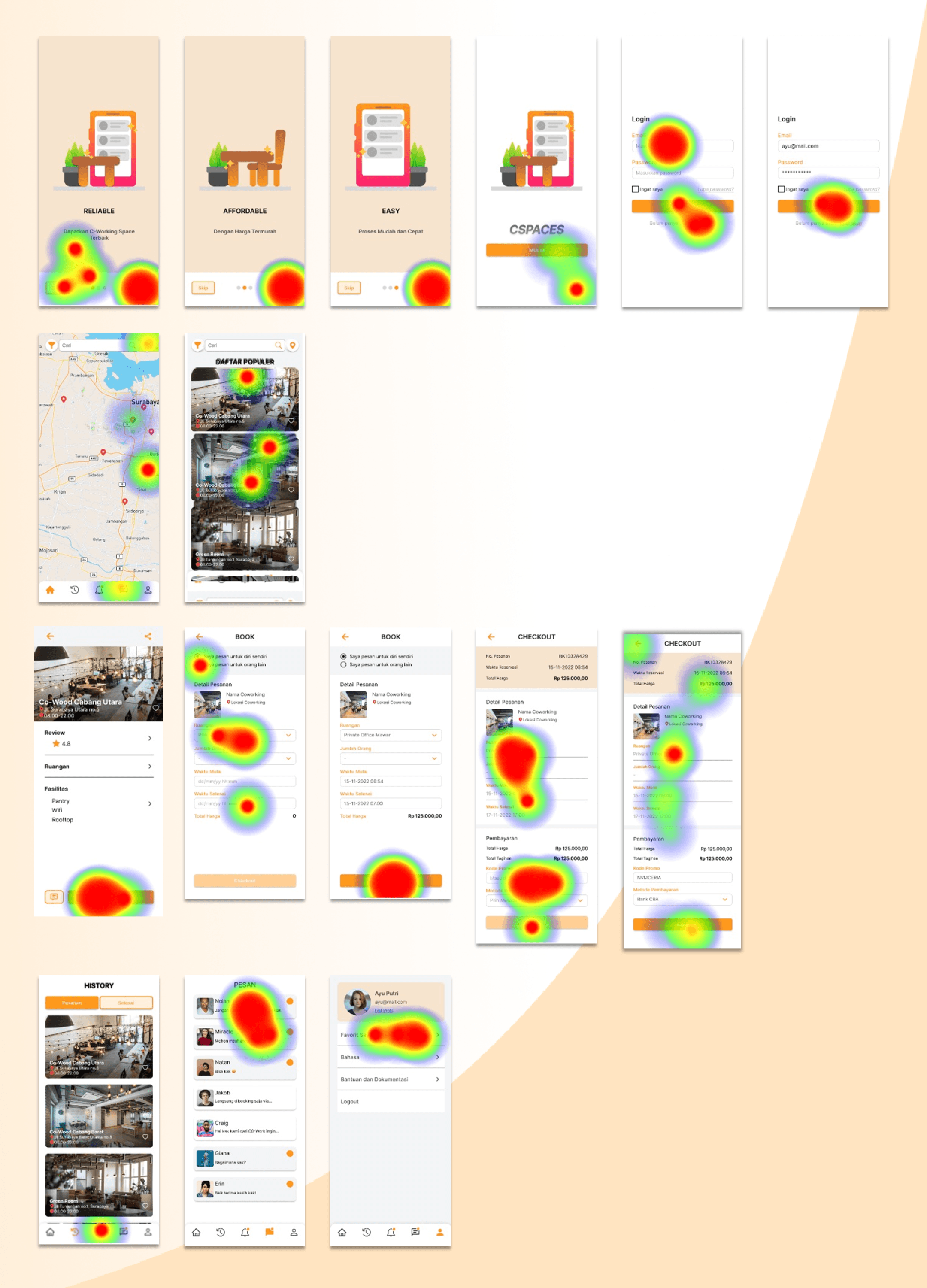
Due to time constraints, usability testing was conducted with five users of coworking space who were involved in the initial interview. The result of the heatmap testing is provided below
Due to time constraints, usability testing was conducted with five users of coworking space who were involved in the initial interview. The result of the heatmap testing is provided below
Due to time constraints, usability testing was conducted with five users of coworking space who were involved in the initial interview. The result of the heatmap testing is provided below
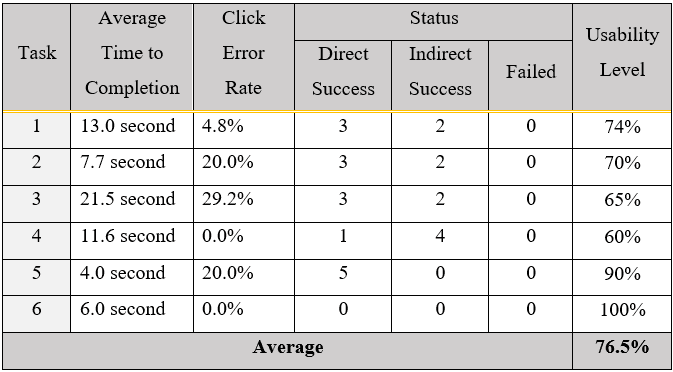
Task list:
Log in with email and password.
Find the 'Popular List' and click one of the lists to view details about the coworking space.
Make a booking and payment for one of the coworking spaces from the list you have successfully searched for.
Check booking history and new notifications.
Visit the chat room and check for new messages.
Review the coworking spaces in the user's favorite lists.
Task list:
Log in with email and password.
Find the 'Popular List' and click one of the lists to view details about the coworking space.
Make a booking and payment for one of the coworking spaces from the list you have successfully searched for.
Check booking history and new notifications.
Visit the chat room and check for new messages.
Review the coworking spaces in the user's favorite lists.
Task list:
Log in with email and password.
Find the 'Popular List' and click one of the lists to view details about the coworking space.
Make a booking and payment for one of the coworking spaces from the list you have successfully searched for.
Check booking history and new notifications.
Visit the chat room and check for new messages.
Review the coworking spaces in the user's favorite lists.
Previous Page
Previous Page
Previous Page
CSPACES | Page 2 of 2
CSPACES | Page 2 of 2
CSPACES | Page 2 of 2